
Mobile Development
·
June 7, 2026
Meet Tutur: your voice, transcribed, private, and finally useful
Voice recordings that become text you can search, chat with, and export, entirely on your device.
Somewhere on your phone is a recording you have never listened to again. A lecture from last semester. A meeting where someone promised something. An interview you keep meaning to write up. Audio is easy to capture and miserable to use: an hour of speech is an hour of your life to get one quote back out.
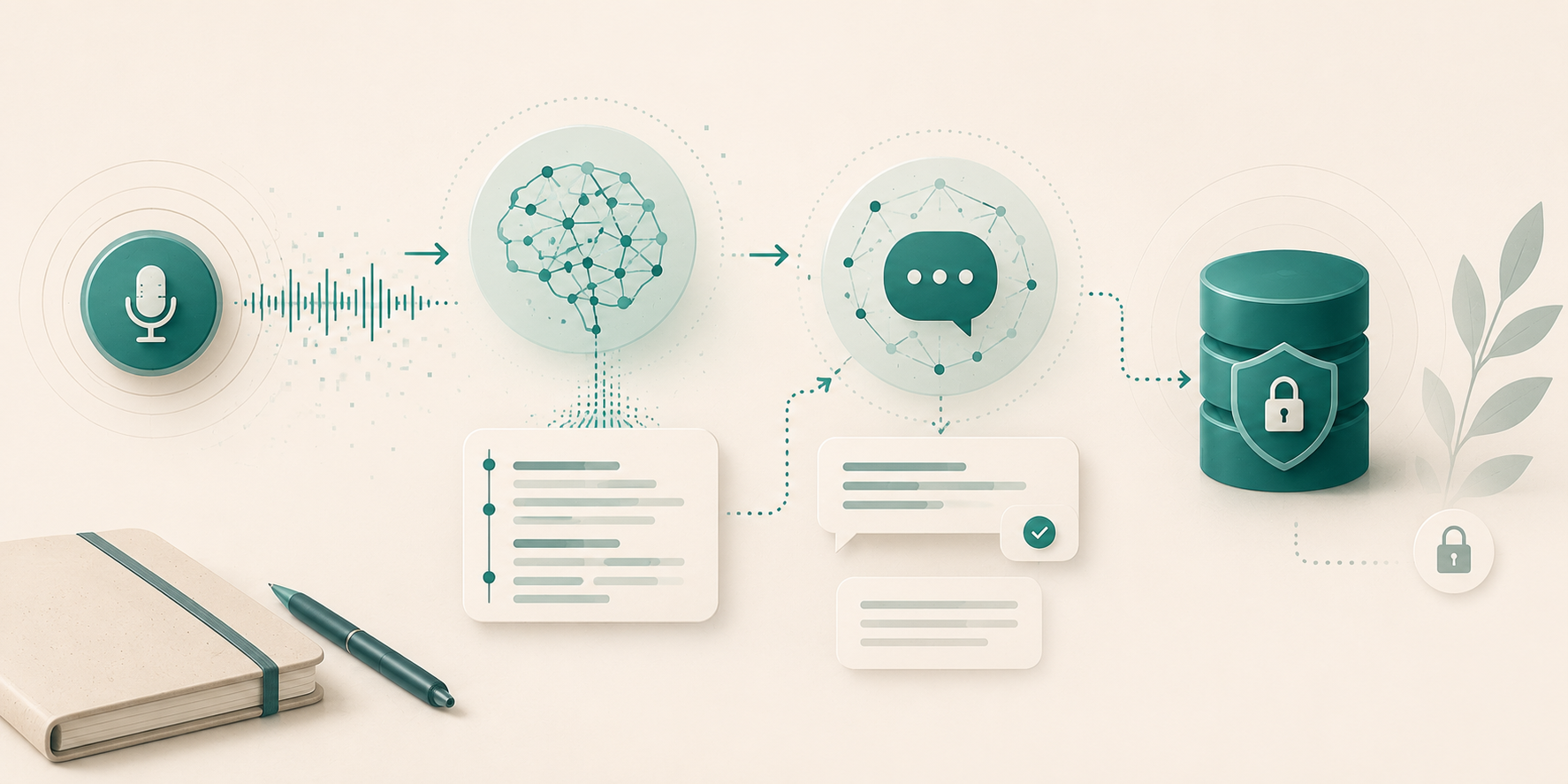
Tutur fixes that. Record anything spoken and Tutur turns it into clean, timestamped text. Ask the recording questions in plain language and get answers drawn from what was actually said. Export the result as tidy text for Excel, Notion, Obsidian, or wherever you actually work. And here is the part that makes Tutur different: every step happens on your phone. No cloud, no account, no upload. Your words never leave your hands.
What Tutur does
Record. Tap the button, set the phone down, and talk. Tutur keeps recording with the screen locked, shows a live waveform and timer, and lets you pause or mark moments as you go. A recording needs only a title; location, language, and tags are up to you.
Transcribe. The moment you stop, transcription begins, right on the device. The transcript appears live, segment by segment, each with a timestamp. Tap any timestamp to jump the audio to that exact moment. Spotted an error? Press and hold a segment to fix the text.
Chat. This is the feature that feels like a small miracle the first time. Open a recording and ask: what deadline did she mention? What were the three action items? What did the lecturer say about the exam? Tutur answers from the transcript, streaming word by word, like messaging someone who took perfect notes.
Export. When you need the text elsewhere, export a recording (or several at once) as CSV for spreadsheets or Markdown for note apps, complete with metadata and timestamps. Then share it through any app on your phone.
Private by architecture, not by promise
Most transcription apps ask you to trust their privacy policy. Tutur does not need one in the usual sense, because there is nothing to police: no server, no account, no analytics, no telemetry. The app touches the network exactly once per AI model, to download it. After that, everything works in airplane mode.
That matters more than it might sound. If you record interviews with sources, conversations covered by confidentiality, client meetings, or simply your own unfiltered thinking out loud, the safest data is data that never travels. With Tutur, the recording, the transcript, and every chat message live only in your phone's storage. Deleting a recording deletes it everywhere, because there is no everywhere.
How it works under the hood
Tutur carries two compact AI models inside it. Whisper, an open source speech recognition model from OpenAI, handles transcription; it downloads once during setup, about 190 MB. Gemma, a small open source language model from Google, powers the chat; it downloads only if you open the chat feature for the first time, about 800 MB. If you never use chat, you never download it.
Both models run directly on your phone's processor. That is the whole trick. AI models recently became small enough, and phones fast enough, that the cloud stopped being a requirement for this job. Tutur is built on that shift.
Made for whatever you record
Tutur has no modes, categories, or templates to pick from, and that is deliberate. A student recording a lecture, a manager recording a standup, a journalist recording an interview, and someone recording a voice memo at a red light all need the same thing: capture, transcript, answers, export. One simple flow serves them all. If you want organisation, add your own tags and search by them later.
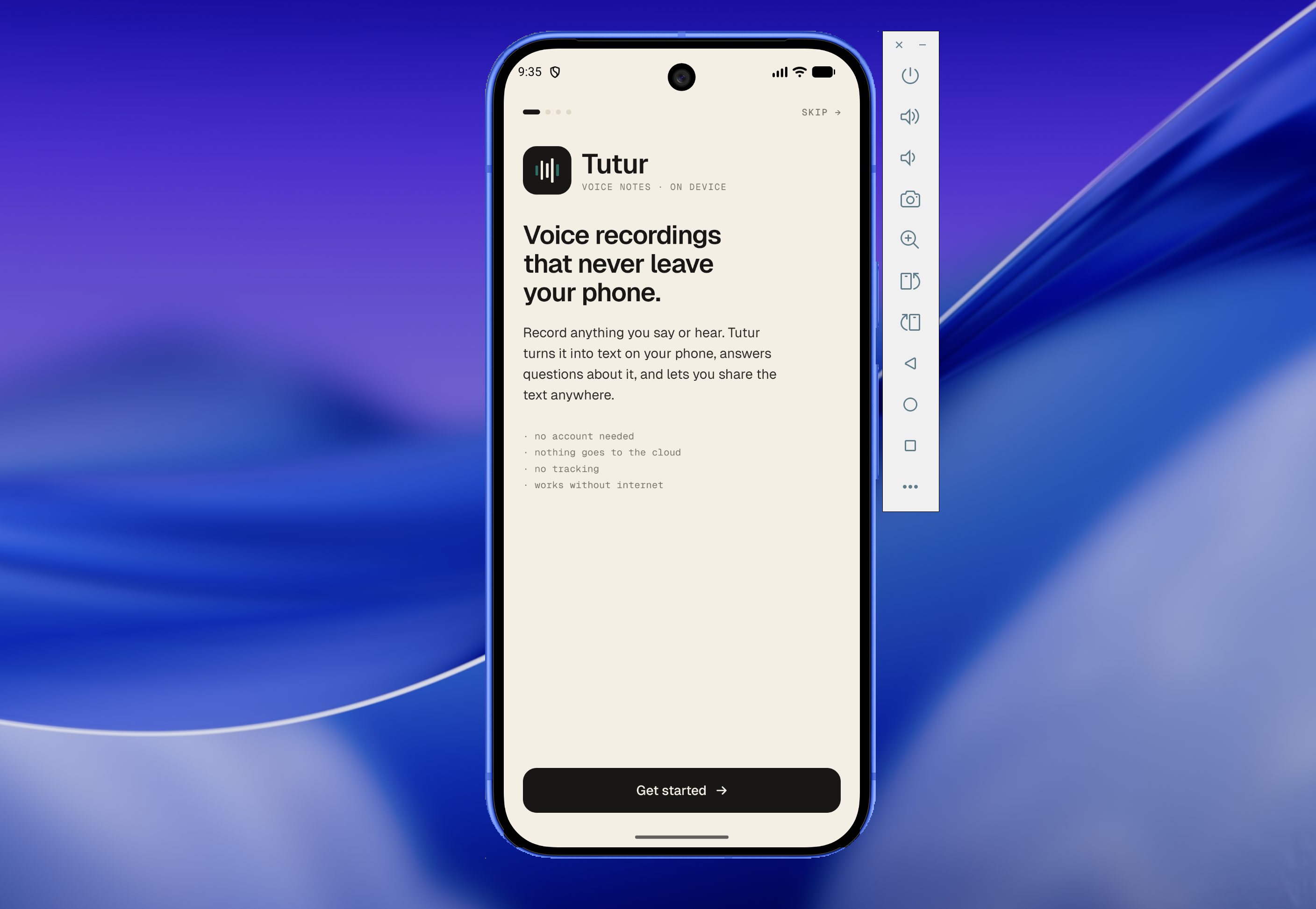
The interface keeps out of your way too: calm paper tones, a single teal accent, and small monospaced labels, closer to a quality notebook than a dashboard.
What you need, and what is next
Tutur v0.1 is for Android: a recent phone with around 6 GB of RAM running Android 12 or newer. The first release covers recording, live transcription, playback, chat, and export, with database encryption arriving alongside. An iOS version is planned for v0.2.
Tutur is currently in development and heading to beta testers. If a recorder that respects your words sounds like what you have been waiting for, it is nearly here.
Tutur fixes that. Record anything spoken and Tutur turns it into clean, timestamped text. Ask the recording questions in plain language and get answers drawn from what was actually said. Export the result as tidy text for Excel, Notion, Obsidian, or wherever you actually work. And here is the part that makes Tutur different: every step happens on your phone. No cloud, no account, no upload. Your words never leave your hands.
What Tutur does
Record. Tap the button, set the phone down, and talk. Tutur keeps recording with the screen locked, shows a live waveform and timer, and lets you pause or mark moments as you go. A recording needs only a title; location, language, and tags are up to you.
Transcribe. The moment you stop, transcription begins, right on the device. The transcript appears live, segment by segment, each with a timestamp. Tap any timestamp to jump the audio to that exact moment. Spotted an error? Press and hold a segment to fix the text.
Chat. This is the feature that feels like a small miracle the first time. Open a recording and ask: what deadline did she mention? What were the three action items? What did the lecturer say about the exam? Tutur answers from the transcript, streaming word by word, like messaging someone who took perfect notes.
Export. When you need the text elsewhere, export a recording (or several at once) as CSV for spreadsheets or Markdown for note apps, complete with metadata and timestamps. Then share it through any app on your phone.
Private by architecture, not by promise
Most transcription apps ask you to trust their privacy policy. Tutur does not need one in the usual sense, because there is nothing to police: no server, no account, no analytics, no telemetry. The app touches the network exactly once per AI model, to download it. After that, everything works in airplane mode.
That matters more than it might sound. If you record interviews with sources, conversations covered by confidentiality, client meetings, or simply your own unfiltered thinking out loud, the safest data is data that never travels. With Tutur, the recording, the transcript, and every chat message live only in your phone's storage. Deleting a recording deletes it everywhere, because there is no everywhere.
How it works under the hood
Tutur carries two compact AI models inside it. Whisper, an open source speech recognition model from OpenAI, handles transcription; it downloads once during setup, about 190 MB. Gemma, a small open source language model from Google, powers the chat; it downloads only if you open the chat feature for the first time, about 800 MB. If you never use chat, you never download it.
Both models run directly on your phone's processor. That is the whole trick. AI models recently became small enough, and phones fast enough, that the cloud stopped being a requirement for this job. Tutur is built on that shift.
Made for whatever you record
Tutur has no modes, categories, or templates to pick from, and that is deliberate. A student recording a lecture, a manager recording a standup, a journalist recording an interview, and someone recording a voice memo at a red light all need the same thing: capture, transcript, answers, export. One simple flow serves them all. If you want organisation, add your own tags and search by them later.
The interface keeps out of your way too: calm paper tones, a single teal accent, and small monospaced labels, closer to a quality notebook than a dashboard.
What you need, and what is next
Tutur v0.1 is for Android: a recent phone with around 6 GB of RAM running Android 12 or newer. The first release covers recording, live transcription, playback, chat, and export, with database encryption arriving alongside. An iOS version is planned for v0.2.
Tutur is currently in development and heading to beta testers. If a recorder that respects your words sounds like what you have been waiting for, it is nearly here.